
User Dashboard

AVAILABLE
Timeline
This feature was released in February 2025
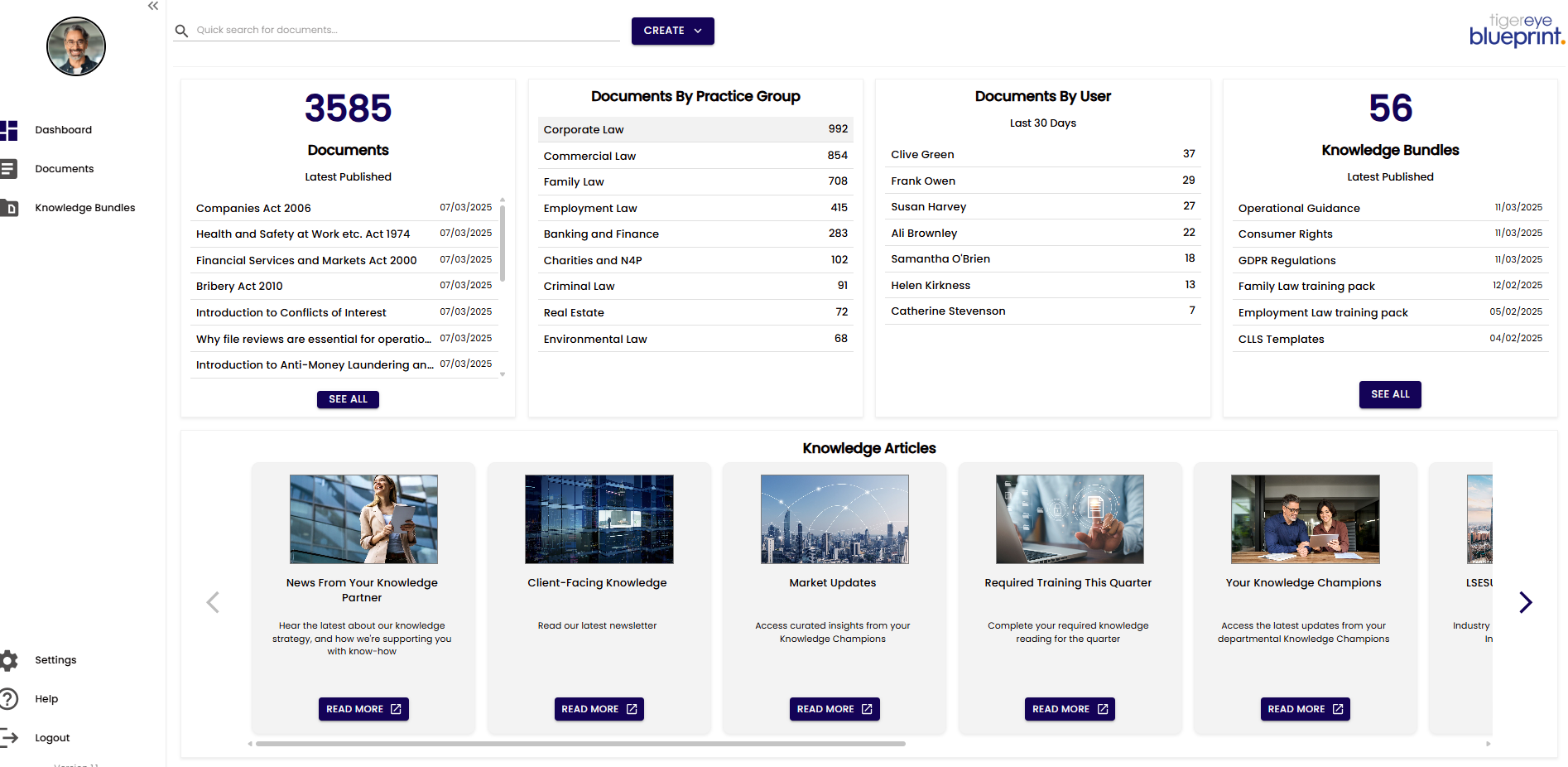
Feature Overview
The Dashboard feature for Blueprint provides users with a high-level, visual overview of key elements within the platform, including Documents, Knowledge Bundles, and configured Knowledge Articles.
Users can view the latest Documents and Knowledge Bundles, track the number of Documents associated with each Practice Group, and configure multiple Knowledge Articles via the Settings page for display on the Dashboard.
Each Knowledge Article can include a customizable image, URL link, title, and description, enhancing the platform’s accessibility and user engagement.
Key Objective
Deliver a centralised, user-friendly Dashboard that provides a comprehensive overview of Documents, Knowledge Bundles, and Practice Group metrics, while enabling customisable Knowledge Articles to highlight critical information, improving user interaction and knowledge accessibility within Blueprint.
Core Benefits
Centralised Overview: Displays the latest Documents and Knowledge Bundles, offering users a quick snapshot of recent and relevant content within the platform.
Practice Group Insights: Shows the number of Documents attributed to each Practice Group, enabling users to understand knowledge distribution and focus areas.
Configurable Knowledge Articles: Allows users to create and customise Knowledge Articles with images, URL links, titles, and descriptions, ensuring key information is prominently featured.
Enhanced User Engagement: Provides a visually appealing and interactive interface that simplifies navigation and promotes discovery of important knowledge assets.
Flexible Configuration: Empowers users to tailor the Dashboard’s content via the Settings page, aligning the display with organisational priorities and user needs.